
Why do prompt templates matter so much during instruction finetuning?
Prompt templates matter because instruction finetuning operates on token sequences, not on abstract chat messages. The template converts structured fields such as system, user, and assistant into the role markers, separators, whitespace, and end-of-turn tokens seen by the model. Inference should reproduce the same token-level convention.
A model can still answer under a mismatched format, especially when the visible request is simple. Reliability often drops because the prompt now belongs to a different distribution from the one used for finetuning. Typical symptoms include echoing the user, continuing both sides of the conversation, leaking role markers, ignoring the system message, or stopping at the wrong place.
A prompt and a chat template are different objects
The words prompt template are used for two related ideas.
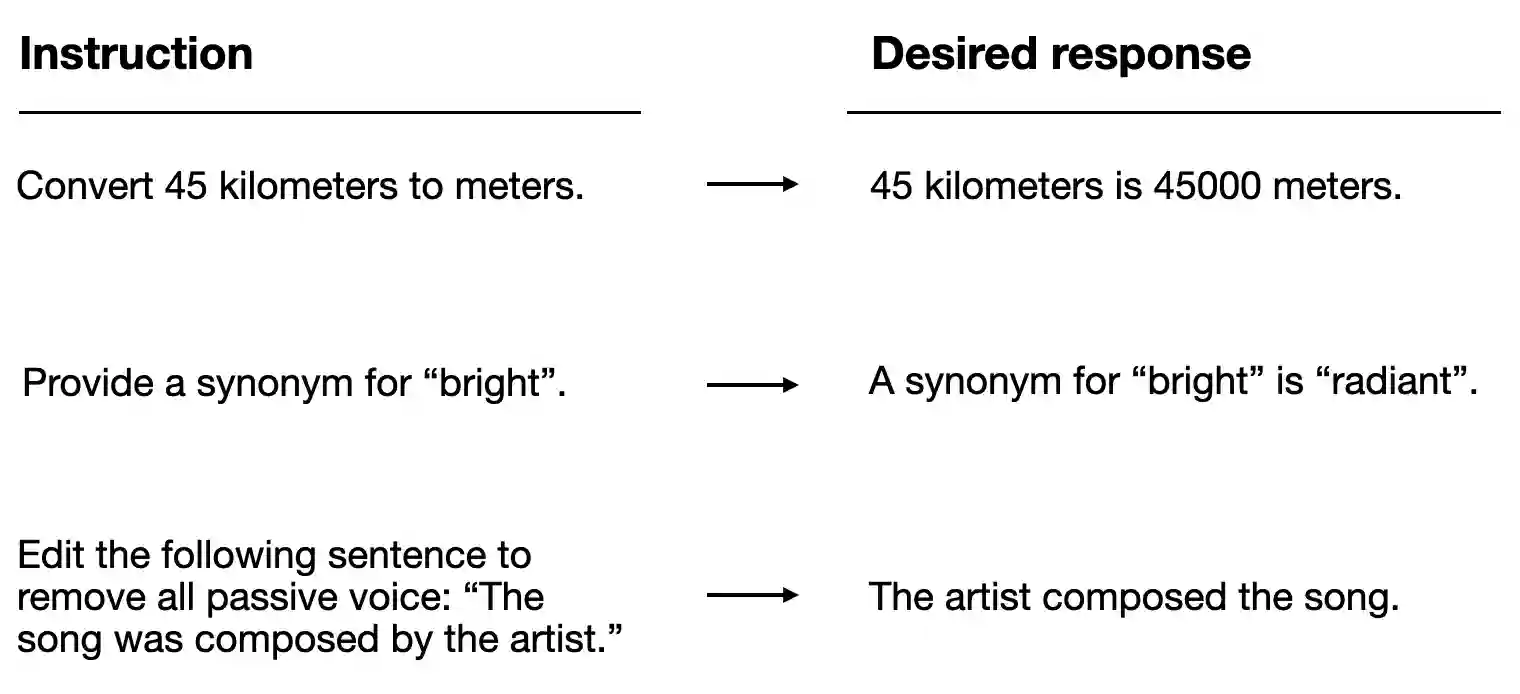
- An instruction template combines fields such as an instruction, optional input, and target response into a text record. It may use ordinary headings such as
### Instructionand### Response. - A chat template serializes a list of role-tagged messages. It often uses model-specific control tokens for message starts, role names, and turn endings.
The system prompt is message content. The chat template determines how that content and its role are encoded. Changing the system message changes the instruction. Changing the template can alter every boundary around every message.

A simplified rendered conversation might look like this:
<|system|>
Answer concisely.<|end|>
<|user|>
What is gradient descent?<|end|>
<|assistant|>
Gradient descent is ...<|end|>
Another checkpoint may use [INST] delimiters or a different set of header and end tokens. These formats are not interchangeable merely because the decoded text looks understandable to a person. The special-token IDs have meanings learned together with that checkpoint.
The template defines the prediction boundary
During supervised instruction finetuning, one sequence normally contains the prompt and a demonstrated assistant response. The model sees the system and user spans as context for predicting the response. Many training pipelines mask those prompt positions out of the loss, but the tokens still remain in the input.
The assistant header marks where the response begins. The end-of-turn token teaches where that response ends. If either boundary is wrong, the model may learn to generate a header that the application planned to insert, or it may continue into another user turn instead of stopping.
Loss masking is a separate operation from templating. A correct template can still be paired with an incorrect label mask. For response-only SFT, the loss should cover the assistant content and its end token according to the chosen objective. The prompt-token masking FAQ works through single-turn, multi-turn, padding, and packed examples.
Training and generation use related endings
Training examples already contain the assistant response. They should be rendered as complete conversations, including the assistant turn and its proper end marker.
At inference time, the application usually has a conversation ending with a user message. The rendered sequence may need an assistant-start marker so generation begins inside the assistant role. In the current Hugging Face chat-template API, this behavior is controlled by add_generation_prompt=True. The exact effect is template-specific, and some model formats do not need an additional marker.
A minimal inspection looks like this:
messages = [
    {"role": "system", "content": "Answer concisely."},
    {"role": "user", "content": "What is gradient descent?"},
]

input_ids = tokenizer.apply_chat_template(
    messages,
    tokenize=True,
    add_generation_prompt=True,
    return_tensors="pt",
)

print(tokenizer.decode(input_ids[0]))
For dataset preprocessing, the message list includes the assistant response and usually uses add_generation_prompt=False. Appending another assistant-start marker after a completed response would describe a different sequence.
There is a separate case called response prefilling, where the final assistant message contains a partial answer that generation should continue. A new assistant-start marker should not be added in that case. The runtime needs to distinguish “start a new assistant turn” from “continue the current assistant turn.”
Special tokens can be duplicated silently
Chat templates often insert the beginning-of-sequence, end-of-sequence, or end-of-turn tokens themselves. A later tokenizer call may add another copy if it treats the rendered chat as ordinary text.
The Hugging Face documentation recommends applying the template with tokenize=True when possible. If the template is rendered to text first and tokenized in a separate call, special-token insertion needs to be disabled for that second step. Otherwise, duplicated beginning or ending tokens can change model behavior even though the decoded prompt looks almost identical.
Whitespace deserves the same attention. A newline before the assistant response, a space inside a delimiter, or repeated template boilerplate changes tokenization. A robust model may tolerate some variation, but there is little reason to introduce accidental differences between training and serving.
| Template component | Purpose | Possible symptom when wrong |
|---|---|---|
| Role marker | Identifies system, user, assistant, or tool content | Model answers in the wrong role or echoes another turn |
| Turn-ending token | Separates completed messages | Generation continues into a new speaker or stops early |
| Assistant-start marker | Places inference at the response boundary | Model continues the user text instead of answering |
| Beginning/end tokens | Mark sequence-level boundaries | Empty output, duplicated control tokens, or unusual continuations |
| Whitespace and separators | Preserve the learned serialized pattern | Smaller but repeatable quality or formatting changes |
Multi-turn and tool-use templates carry more structure
For a multi-turn chat, the template serializes the complete order of messages. Truncation must preserve valid role boundaries. Removing an old assistant message while keeping the user reply that depended on it can produce a syntactically valid sequence with broken conversational meaning.
Tool-using models add more fields. The template may serialize tool definitions, an assistant tool call, a tool result supplied by the environment, and the final assistant response. Those schemas and control tokens are model-specific. Passing a plain JSON string where the checkpoint expects a dedicated tool-call span can reduce tool-use accuracy even if the JSON itself is valid.
The same boundary matters for loss masking. Assistant tool-call tokens can be training targets. Tool results returned by the environment are usually context. A substring search for words such as assistant or tool is unsafe because those words may also appear in message content. Token spans produced by preprocessing are more reliable.
A template also affects context use and cost. Repeated role headers, system text, tool definitions, and separators consume tokens on every request. A concise format can leave more room for source material and generated output. For an existing instruct checkpoint, shortening the template changes the learned format. Token savings should be designed into training or verified with a controlled finetune and evaluation.
Check the rendered tokens before training
I would treat the tokenizer and chat template as part of the model artifact. Pin their revision with the checkpoint, and use one serialization function for dataset preprocessing, evaluation, and serving.
Before a long finetuning run, inspect several rendered examples in this order:
- Print the rendered text with escaped whitespace so every newline is visible.
- Print token IDs or token strings around each role and turn boundary.
- Confirm that beginning and ending tokens appear exactly where intended.
- Verify the loss mask for each assistant span and the final end token.
- Render the inference version without a response and confirm the assistant-start boundary.
- Run greedy generation on a few held-out prompts and inspect the raw token output before post-processing.
- Test a multi-turn conversation and a tool call when the model supports them.
These checks catch template bugs before they are confused with model quality, learning rate, or decoding problems. The underlying rule is to keep the checkpoint, tokenizer, template, label mask, and stopping configuration consistent across the complete workflow.
The instruction-finetuning FAQ explains how prompt-response demonstrations change a base model. The instruction-dataset FAQ covers dataset scope, formatting, evaluation splits, and review.